Use a link hub when a visitor needs to choose among several parts of your work. Use a shoppable post when the visitor already wants the products from one specific outfit. A creator shop can connect those two journeys.
For fashion creators, “link in bio vs. shoppable posts” is often a question about the destination behind the link. This guide compares those page formats, with a practical audit you can use on your current setup. Product references were checked on September 8, 2026; the workflow recommendations are Sidefold’s editorial assessment.
01
Start with what the follower came to find
A visitor who taps “shop this outfit” should arrive somewhere that recognises the outfit. A visitor who opens your profile out of general curiosity may need a menu of your latest looks, newsletter, styling services, and paid guides.
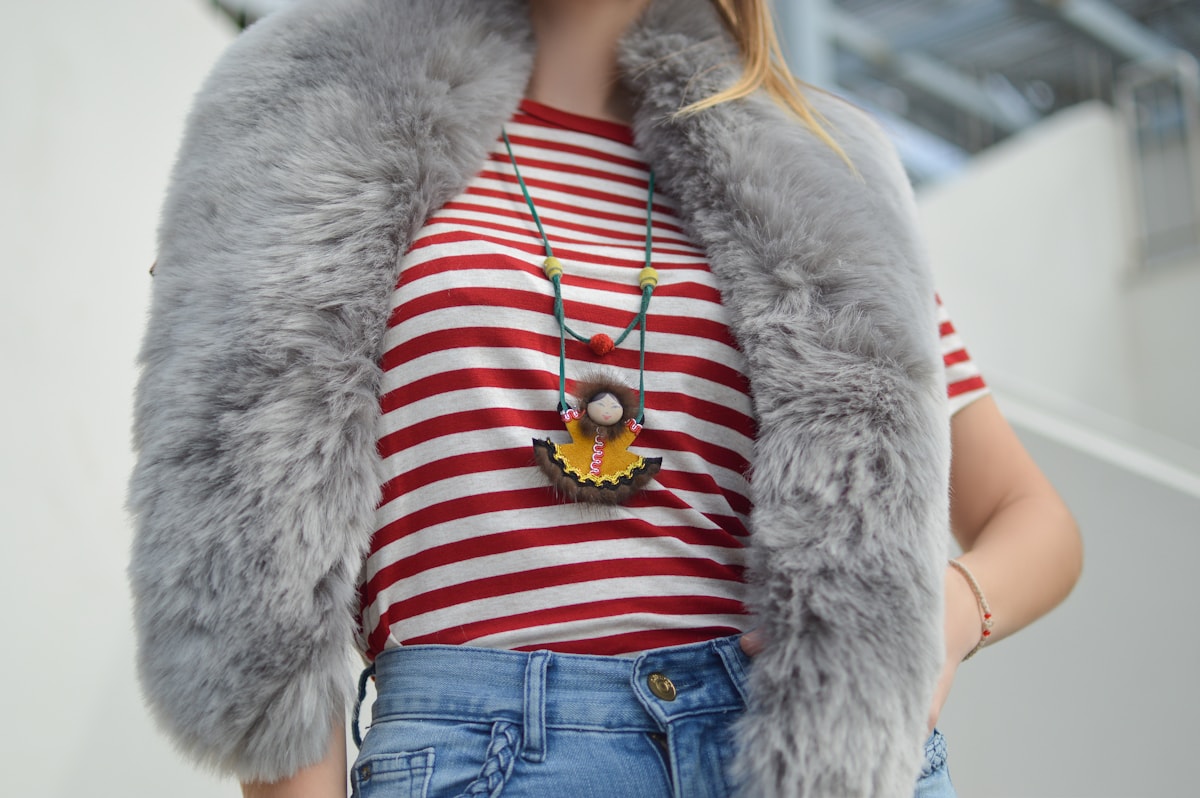
Imagine a follower sees a striped top under a grey vest. They want the necklace. A page headed “My favourite things” asks them to reconstruct the original recommendation. A recognisable photo with a necklace label preserves the context they already have.
That does not mean every creator needs two subscriptions. A single product can support both jobs. Linktree documents product collections and shoppable posts in its Shops guide, including direct links to a specific post. That guide currently describes Shops as a US-only feature. Check your account and regional availability. Linktree’s official Shops guide.
02
Link hub, outfit page, or creator shop?
| Destination | Reader’s question | What earns its place |
|---|---|---|
| Link hub | What can I do here? | A short list of clearly different destinations: outfits, guide, services, newsletter. |
| Shoppable post | Where is the item from this look? | The original photograph, product labels, sizing notes, and exact destinations. |
| Creator shop | What else has this creator shared? | A browsable archive of recognisable looks and other relevant publications. |
| Direct product link | Where can I buy this one item? | The correct product, colour, region, and any required commercial context in the recommendation. |
Choose the destination that resolves the question with the least repeated searching. Removing one click is useful only if the remaining page still answers the question. Sending every visitor straight to a retailer can lose the fit or substitution notes that made the recommendation helpful.
03
Give each social post a recognisable route
A useful shopping route keeps the same outfit name and image from the social post to the shopping page. Consistency helps readers recognise that they reached the right place.
1. Name the look
Use a descriptive label such as “Striped top and grey vest” or “Rainy-day office outfit.” A date can help, but should not carry the whole label. In Sidefold, give the post a title that readers will recognise alongside its photograph.
2. Publish the details together
Add the complete image, exact item names, sizes worn, and clearly labelled alternatives. In Sidefold, place markers on the photograph and attach the corresponding product links. Review the imported details and add your own context; the original product URL you supply is retained.
3. Match the invitation to the destination
Where direct links are supported, send “Shop this outfit” to that outfit. In a profile bio, a browsable shop can give older and newer posts a stable home. Sidefold provides an individual post page and a creator shop, so choose the address that matches your invitation.
4. Test from a phone
Start at the actual entry point, find one item, and follow its link. Check both the product markers and the plain product list. A reader should be able to match the necklace in the photograph to its name, notes, and retailer destination.
“The striped-top outfit is in my shop, with the size I’m wearing and a similar necklace option.”
The wording promises a specific destination and makes the alternative explicit. Add commercial disclosures appropriate to the recommendation; our shop-the-look disclosure section explains the publishing considerations.
04
Keep older outfit links useful
Older outfit pages stay useful when their photos, styling advice, and product status remain understandable. A sold-out jacket does not invalidate the layering idea, but an unexplained replacement can confuse the reader.
Keep each outfit’s address stable when you update it. If an exact item disappears, label it unavailable or provide an alternative with a short explanation of the difference. Avoid silently sending “the jacket I’m wearing” to a different jacket.
Review the posts that still receive visits first. Check destination accuracy, colour and size availability, mobile readability, and whether a price you typed into the page still matches the retailer. If a look is seasonal, say so. There is no need to make every old post look newly published.
05
Run a five-item outfit audit
Audit one complete look before reorganising your whole bio. Use a jacket, top, trousers, shoes, and accessory to test whether the page connects the photo to the right shopping information.
Download the outfit-link audit checklist. It is a plain-text worksheet you can copy into your notes. It includes five item records and a mobile journey check; no signup is required.
06
Measure whether readers find the products
Compare visits, product-link clicks, and approved affiliate commission as separate measures. A shopping-page visit is not a retailer click, and a retailer click is not an approved order.
Keep the traffic source and period comparable when evaluating a change. A new destination shared from a successful video may receive more activity simply because more people saw it. Record what changed, and use the result to decide which product notes or entry points to improve next.
Sidefold shoppable posts let you place product markers on images, retain the product URLs you add, and review consented link clicks. Your affiliate provider remains the source for purchase attribution and commission. If you are still choosing that provider, read ShopMy vs. LTK for fashion creators.
When your audience starts asking for the method behind several outfits, a longer resource may help. Our guide to selling a capsule wardrobe guide explains how to build that next step.
07
Questions about links and shoppable posts
Can a shoppable page be my link in bio?
Yes. Link in bio describes where you share the address, while shoppable page describes what visitors find there. You can put a creator shop in your bio and share individual outfit pages from places that support direct links.
Do I need to replace Linktree to create shoppable posts?
No. You can link a hub to a separate shopping page, and Linktree itself documents shopping collections and shoppable posts. Check the features and availability in your account before adding another tool.
Should every outfit have its own page?
A separate page is useful when the outfit has several products or specific styling notes that readers may revisit. A single product recommendation may only need a direct product link. Choose the smallest page that fully answers the reader’s question.
Will a shoppable page increase my affiliate earnings?
This guide does not establish a conversion lift. A clearer route may help visitors find products, but earnings also depend on traffic, stock, retailer conversion, attribution, and approved commission. Compare your own results over similar periods.
Make the outfit easy to find again.
Bring your photo, product links, and styling notes together in a Sidefold shoppable post.